For Garmin watches

The rucking app your watch was missing.

Seven purpose-built screens, calorie math that counts every pound in your pack, and a treadmill mode that works when GPS doesn't. Built for ruckers, hikers, backpackers, and vest walkers.

One-time purchase. No ads, no account, no phone app, no subscription.
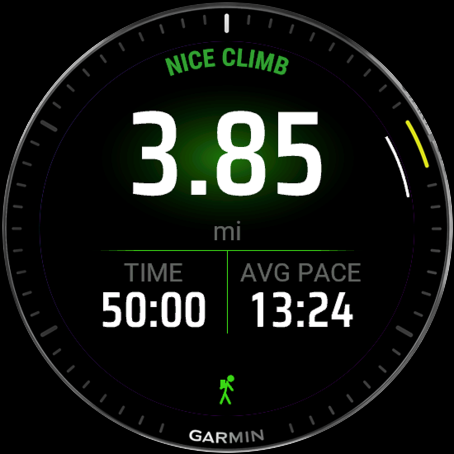
RuckTrack live activity screen showing distance, time, calories, and a heart rate zone arc

Why RuckTrack

Generic activity profiles ignore your pack. This one doesn't.

Garmin's built-in Walk and Hike profiles don't know how much weight you're carrying, so they under-credit a 35-pound ruck by 10 to 20 percent. RuckTrack uses the Pandolf load-carriage equation, the model validated by U.S. Army research, to include your pack weight, terrain, and grade in every calorie. See it measured second by second on a real 45 lb climb →

Load-aware calories

Pandolf math on pack weight, speed, grade, and surface (Road, Gravel, Trail, Sand, Snow). When GPS is iffy or you stop on a hill, RuckTrack falls back to your watch's heart-rate estimate so calories never stall.

Seven purpose-built screens

An all-in-one Overview, distance, calories with pack bonus, pace and vertical speed, lap data, HR zones, and a clock. Every screen is drawn by hand, with a custom number typeface and color-coded zone arcs. The most polished rucking UX on Connect IQ.

Treadmill mode that knows your pack

Two indoor modes. Auto scales your watch's HR-based estimate by pack weight. Manual takes incline and belt speed and runs full Pandolf math. Sessions save as Indoor Walk in Garmin Connect.

Saves as Rucking in Garmin Connect

Outdoor sessions classify as Rucking (FIT subsport 124), not just another Hike. Connect names them descriptively too — "Ruck 35 lb" or "Treadmill Ruck 16 kg" — so your activity list reads at a glance.

Per-second graphs on Connect

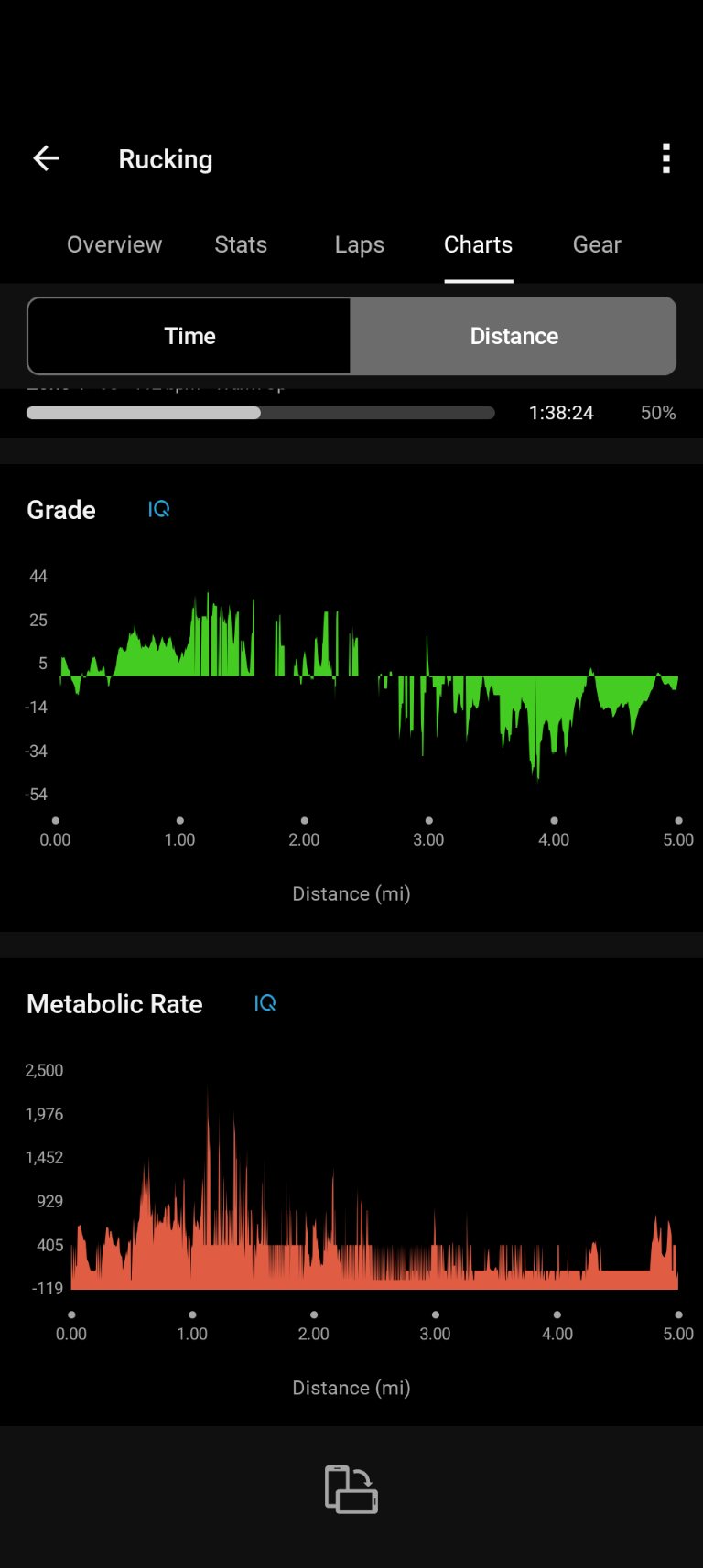
Open any saved ruck on Garmin Connect for grade and metabolic rate plotted second by second, right next to the native pace and heart-rate charts.

Lifetime stats, streaks, and bests

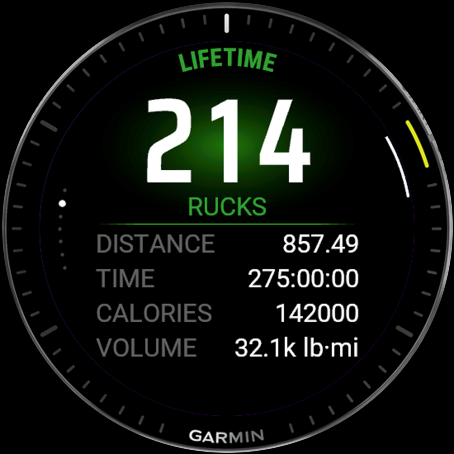
A Stats screen tracks every ruck you save: lifetime distance, time, calories, and tonnage, your weekly streak, and your best pace at three pack-weight tiers. Your history counts from day one.

Local-only data

Every setting, preset, and history entry stays on your watch. No companion phone app, no servers, no analytics, no third-party SDKs.

On the watch

Seven live screens. Something useful at every moment.

Designed for the way you actually use a watch on a ruck: glance, get the number, look back at the trail. On round watches, the v2.6 redesign curves page titles and footers onto the bezel for a cleaner, more native look.

Overview — every number on one screen

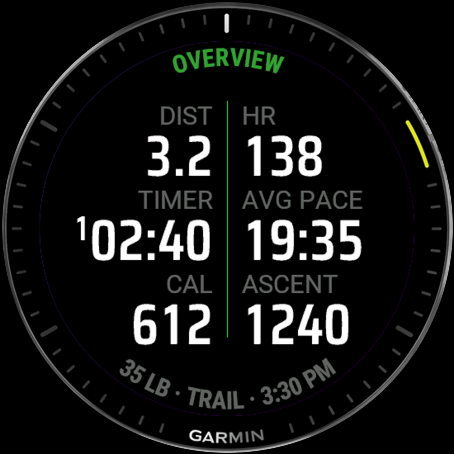
New in v2.6: a single page with all your key metrics at once. Distance, heart rate, elapsed time, average pace, calories, and ascent in a clean grid, so you can read the whole ruck at a glance without swiping. Ideal when you just want the full picture in one look.

Overview screen: a grid of distance, heart rate, time, average pace, calories, and ascent on one page

Primary — distance, time, calories

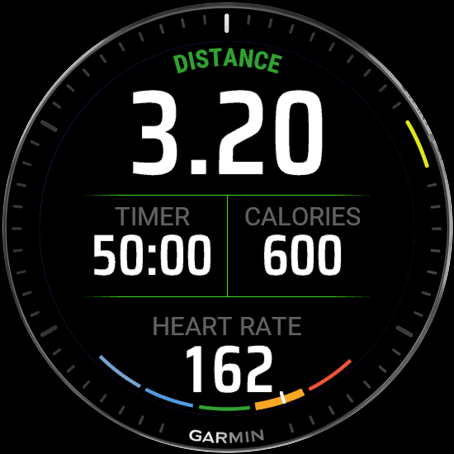
Hero distance, current time and total calories side by side, and a live HR zone arc gauge along the bottom edge. The calorie number on this page is the same one that shows up on the calories page and writes to your FIT file as Ruck Calories. No drift between surfaces.

Primary screen: 3.20 miles, 50:00 time, 600 calories

Calories — see what the pack is doing

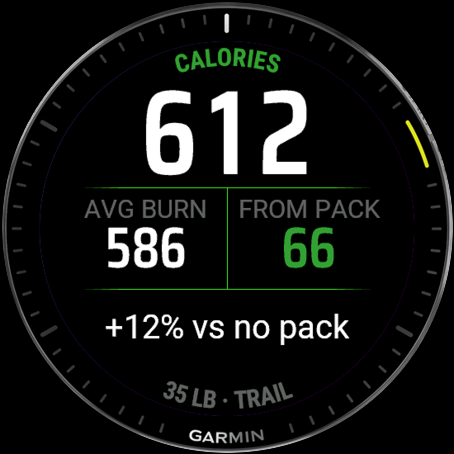
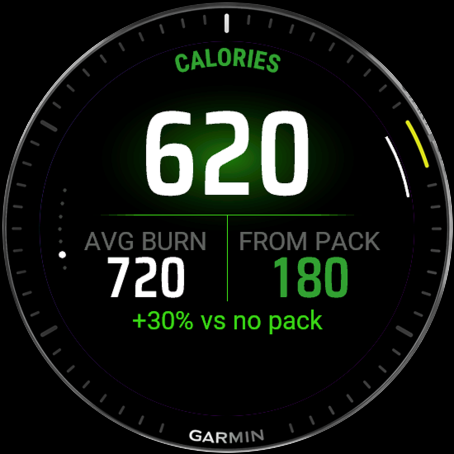
Total calories as the hero. Below it, average burn rate (kcal/hr) and the calories that came from your pack, with a separate "+12% vs no pack" line so you can see how much the weight added. The bottom line shows the pack and terrain.

Calories screen: 612 kcal hero, 586 avg burn, 66 from pack, +12% vs no pack, 35 lb on Trail

Effort — pace, elevation, vertical speed

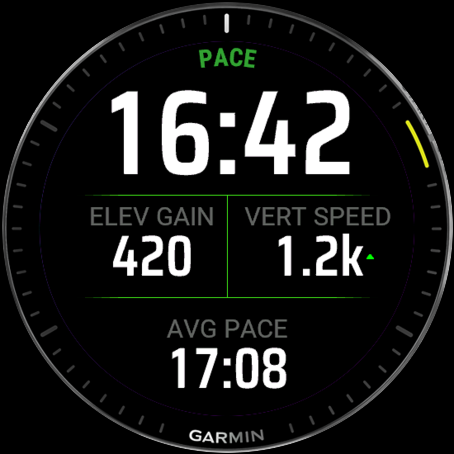
Current pace at the top, total elevation gain and vertical speed in the middle, and overall average pace at the bottom. Vertical speed shows green or red arrows based on whether you're climbing or descending.

Effort screen showing pace, elevation gain, and vertical speed

Lap, HR zones, and clock

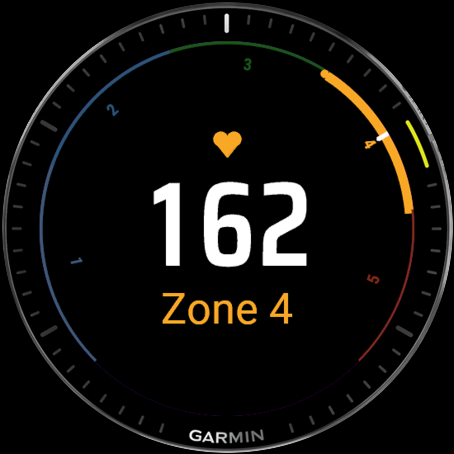
The remaining three pages give you lap data with pace, distance, and time; an HR zones gauge with a pulsating heart icon and circular zone arc; and a clock with battery indicator for when you just want to know how long is left.

HR zones screen with circular zone gauge

See the full feature breakdown →

When you're done

A post-save summary worth scrolling.

Six or seven pages, depending on the mode. Distance and pace; calories with pack bonus; ruck volume; elevation chart; HR zone breakdown; lifetime totals; and a final pointer to the deeper stats in Garmin Connect.

Summary overview page with distance hero

Overview — distance, time, average pace

Summary calories page with pack bonus

Calories — total burn + pack bonus

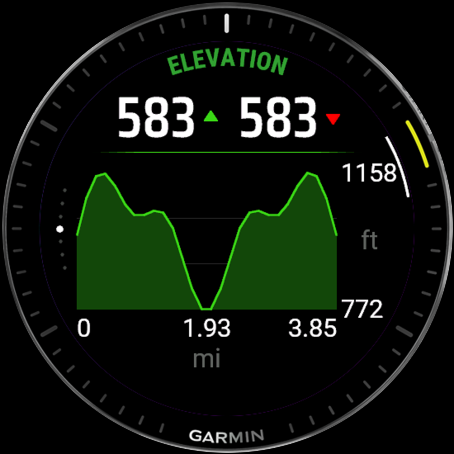
Summary elevation chart with ascent and descent

Elevation — ascent and descent chart

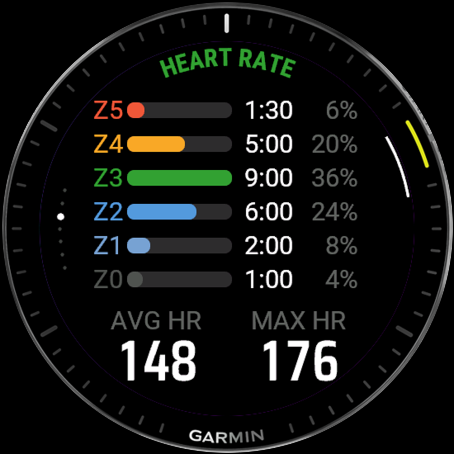
Summary HR page with color-coded zone bars

HR zones — color-coded bars + time per zone

Lifetime totals page with ruck count

Lifetime totals — your cumulative count on this watch

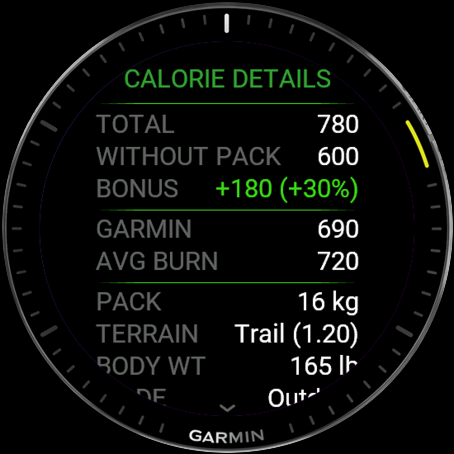
Calorie details with Pandolf inputs

Calorie details — all the numbers

In Garmin Connect

Pack-aware stats land where Garmin lets them.

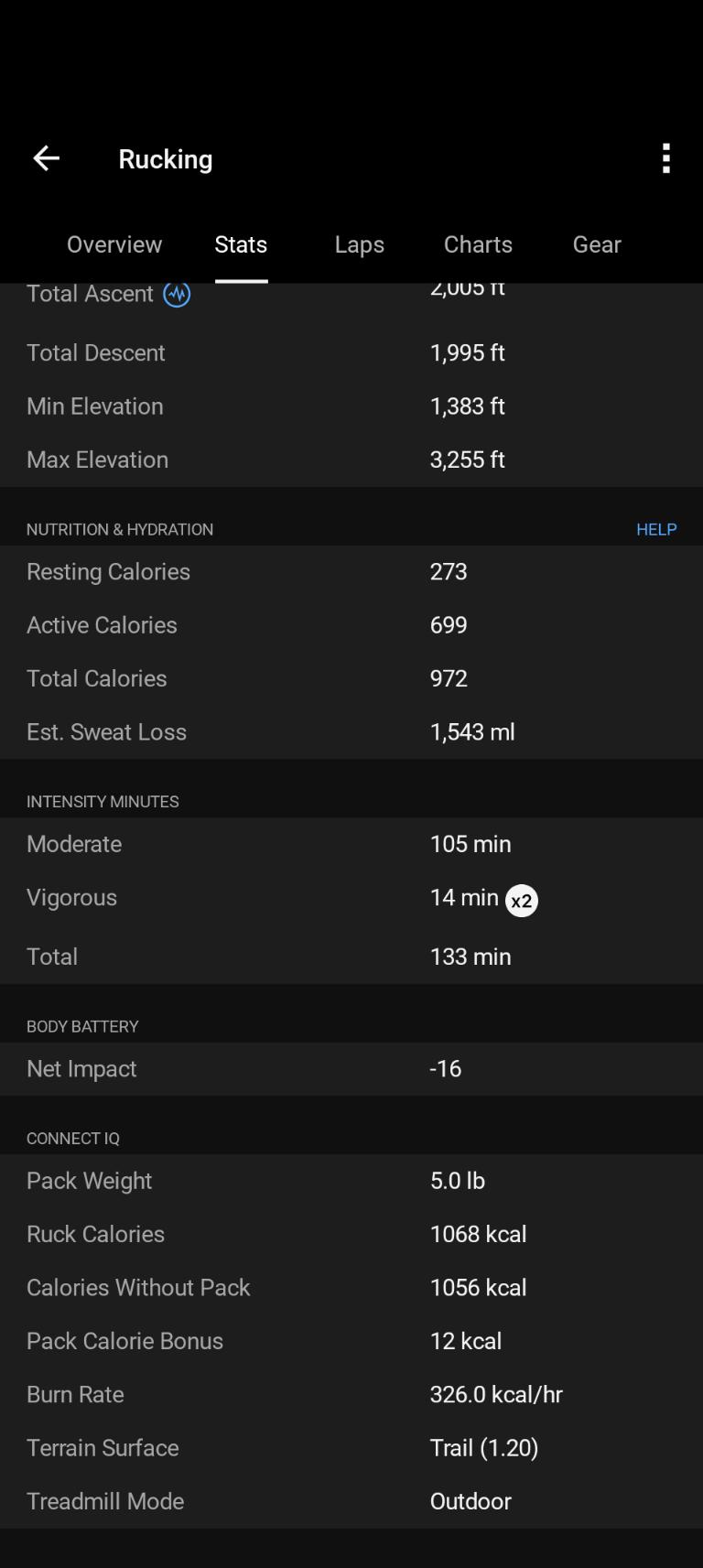
Garmin restricts third-party apps from writing the headline calorie field at the top of an activity, so your load-aware numbers live one section down. Open any saved ruck and look under Stats → Connect IQ for Ruck Calories, Calories Without Pack, Pack Calorie Bonus, Burn Rate, and Terrain Surface. Per-second grade and metabolic rate appear on the activity's chart panel.

Garmin Connect activity stats showing Ruck Calories, Calories Without Pack, Pack Calorie Bonus
Stats → Connect IQ — the six load-aware fields
Garmin Connect time-series charts for grade and metabolic rate
Time-series charts for grade and metabolic rate

Compatibility

86 supported Garmin watches.

Including the Forerunner 165 / 255 / 265 / 570 / 955 / 965 / 970, the fēnix 7 family, fēnix 8 / 8E / 8 Solar, Enduro 3, Instinct 3 and Instinct E, Venu 2 / 3 / 4 / X1 / Sq 2, vívoactive 5 / 6, epix Pro, MARQ Gen 2, D2 Mach 1 and Air X15, Descent MK3 and G2, Approach S50 / S70, tactix 7 / 8, and quatix.

Full device list → or check the Connect IQ Store listing for the live compatibility list.

One-time $2.99. No subscription, no account.

Install once. Every saved ruck lands in Garmin Connect with the activity classification and load-aware stats your watch couldn't give you before.

Get RuckTrack on the Connect IQ Store

Or try free for 7 days first →

Just want the calorie number in your existing activity? PackCal is the data-field companion →